
88UU App: Download the APK for Android and Add 88UU to Your iPhone
The 88UU app puts the full site on your phone: cricket betting, the live casino, slots, crash and fishing games, the bKash, Nagad and Rocket cashier and the VIP centre, all on one taka balance. Android phones install the official APK; iPhones add 88UU to the home screen through Safari. This page explains both, plus how to avoid fake apps.
Last reviewed: 17 November 2026 · 88UU Editorial Team
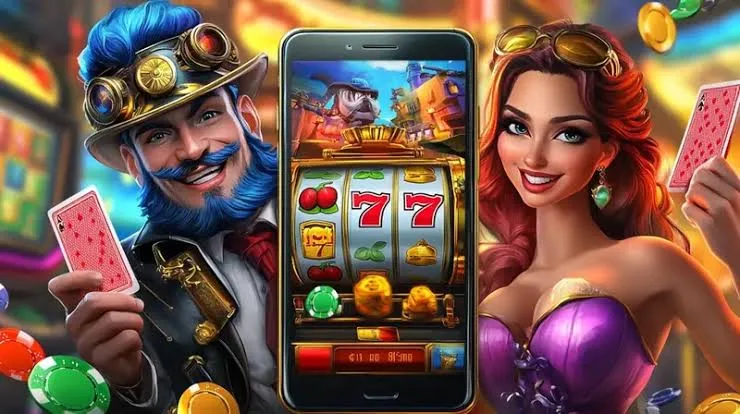
What can you do in the 88UU app?
- Bet on cricket: BPL, IPL, T20 and ODI markets from BTi Sports and SABA Sports. See the 88UU cricket betting guide.
- Play every game category: live casino tables, slots, crash games such as Aviator, and fishing games.
- Deposit and withdraw: top up from ৳100 through bKash, Nagad, Rocket or a bank, with no cashier fee. The deposit guide covers each method.
- Claim promotions: including the app download gift of up to ৳5,888 listed on the 88UU promotions page.
- Manage your account: the VIP centre, bet history and account settings.
The app uses the same account and balance as the website, so you can switch between phone and computer without moving money.
How do you install the 88UU APK on Android?
88UU is installed on Android as an APK file from the official site rather than from an app store listing.
- Open www-88uu.com in Chrome or another browser on your Android phone and check the address carefully.
- Download the official 88UU APK file.
- When Android asks, allow your browser to install unknown apps. This setting applies only to the browser you used.
- Open the downloaded file and tap Install.
- Open the 88UU app and sign in with your existing username and password, or register a new account.
After installing, you can switch the “install unknown apps” permission off again for your browser. To update the app, download the latest APK from the official site in the same way.

How do you add 88UU to an iPhone?
There is no App Store listing for 88UU. On an iPhone you add the site to your home screen instead, which opens it full screen like an app.
- Open www-88uu.com in Safari.
- Tap the Share button at the bottom of the screen.
- Scroll down and tap Add to Home Screen.
- Tap Add. The 88UU icon appears on your home screen.
- Open it and sign in. See the 88UU login guide if you need help.
Nothing is installed from outside the App Store, and the home-screen icon always opens the current version of the site.
Android app, iPhone shortcut or browser: which should you use?
| Option | How you get it | Updates | Same account and balance |
|---|---|---|---|
| Android app | Install the APK from www-88uu.com | Install the latest APK from the official site | Yes |
| iPhone home screen | Safari, Share, Add to Home Screen | Automatic, as it loads the live site | Yes |
| Mobile browser | Open www-88uu.com | Automatic | Yes |
How do you avoid fake 88UU apps?
Copycat sites use the 88UU name to spread fake apps and steal logins.
- Install the APK only from www-88uu.com. Do not install 88UU files sent through Telegram, WhatsApp, Facebook or file-sharing sites.
- Check the address bar before you enter a password. Lookalike domains often change a single letter.
- Never share your password, withdrawal password or OTP code with anyone, including people who say they work for 88UU.
- If something looks wrong, contact support by email at [email protected] or on the hotline +880 1885 384115.

What if the 88UU app does not install or open?
| Problem | What to try |
|---|---|
| “App not installed” on Android | Allow your browser to install unknown apps, free up storage, then remove any older 88UU app and install again |
| Download blocked by the browser | Confirm the download comes from www-88uu.com, then choose to keep the file |
| Cannot sign in | Follow the password reset steps in the login guide |
| Deposit not showing in the app | Pull to refresh, then check the TrxID steps in the deposit guide |
| No “Add to Home Screen” on iPhone | Make sure you opened the site in Safari rather than another browser |
Play responsibly on your phone
Having 88UU on your phone makes it easy to play at any time. Set a budget before you open the app, turn off notifications you do not need, and take breaks. 88UU is for adults aged 18 and over. Gambling involves financial risk and is restricted under Bangladeshi law, so check the rules that apply to you. Limits and cooling-off options are on our responsible gaming page.
88UU app: frequently asked questions
Is the 88UU app on Google Play or the App Store?
No. Android users install the official APK from www-88uu.com, and iPhone users add the site to the home screen through Safari.
Do I need a new account for the app?
No. The app uses the same username, password and taka balance as the website.
Is there a bonus for downloading the app?
Yes. The app download gift pays up to ৳5,888. Current rules are on the promotions page.
Can I deposit with bKash in the app?
Yes. bKash, Nagad, Rocket and bank deposits all work in the app from ৳100.